Dark Mode vs. Light Mode: The Science-Backed Guide to Optimizing Your Digital Workspace
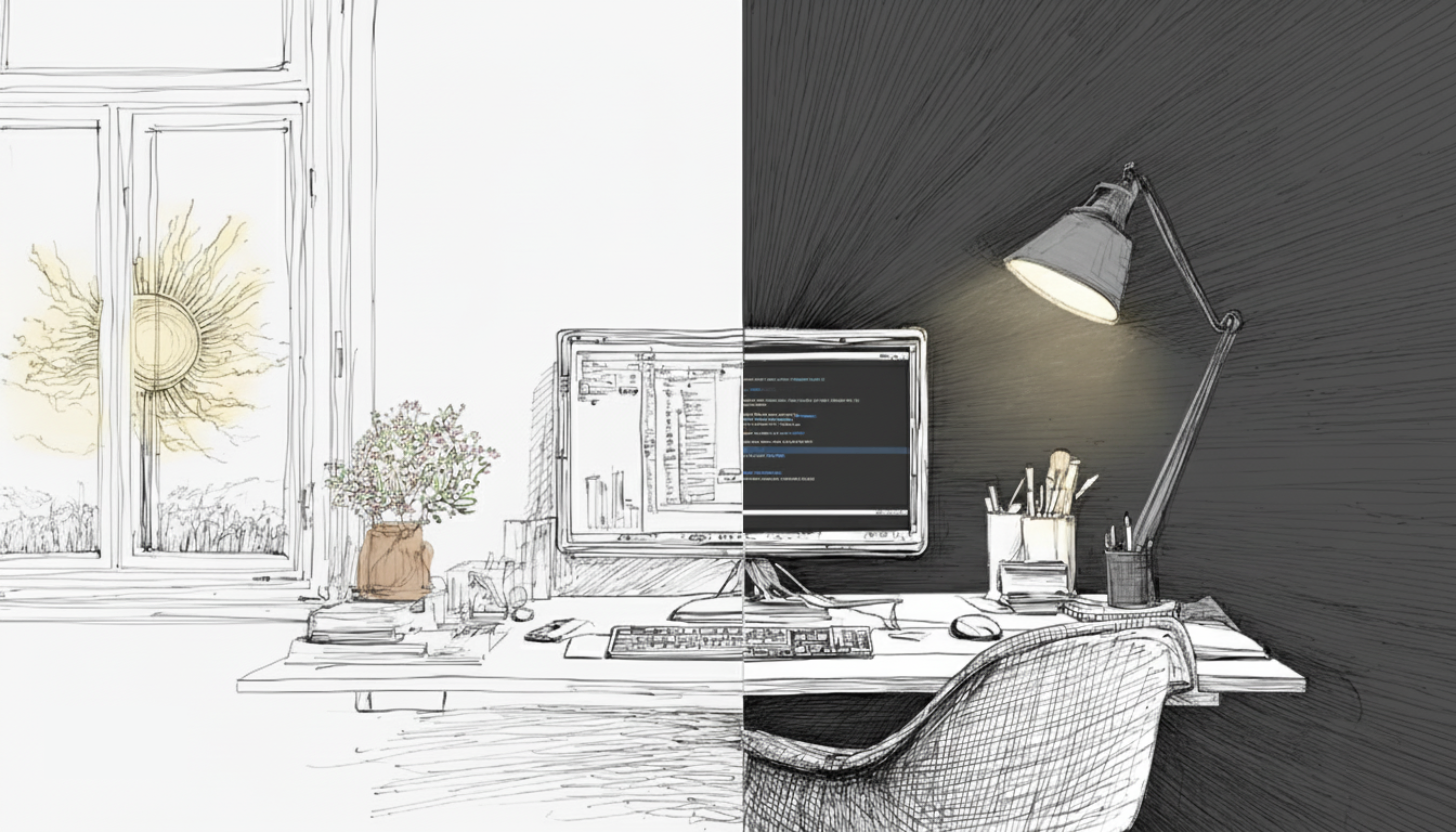
Do you spend most of your workday glued to a screen? Whether you're a project manager hitting deadlines, a data analyst crunching numbers, or a lawyer reviewing documents, you know how hard it is to hit your milestones. It feels impossible when your eyes are strained and your mind is foggy.
By the afternoon, that constant screen time takes a toll. Your eyes feel tired, your head feels foggy, and your productivity lags. This isn’t just a minor inconvenience; it's a real barrier to getting things done and feeling your best.
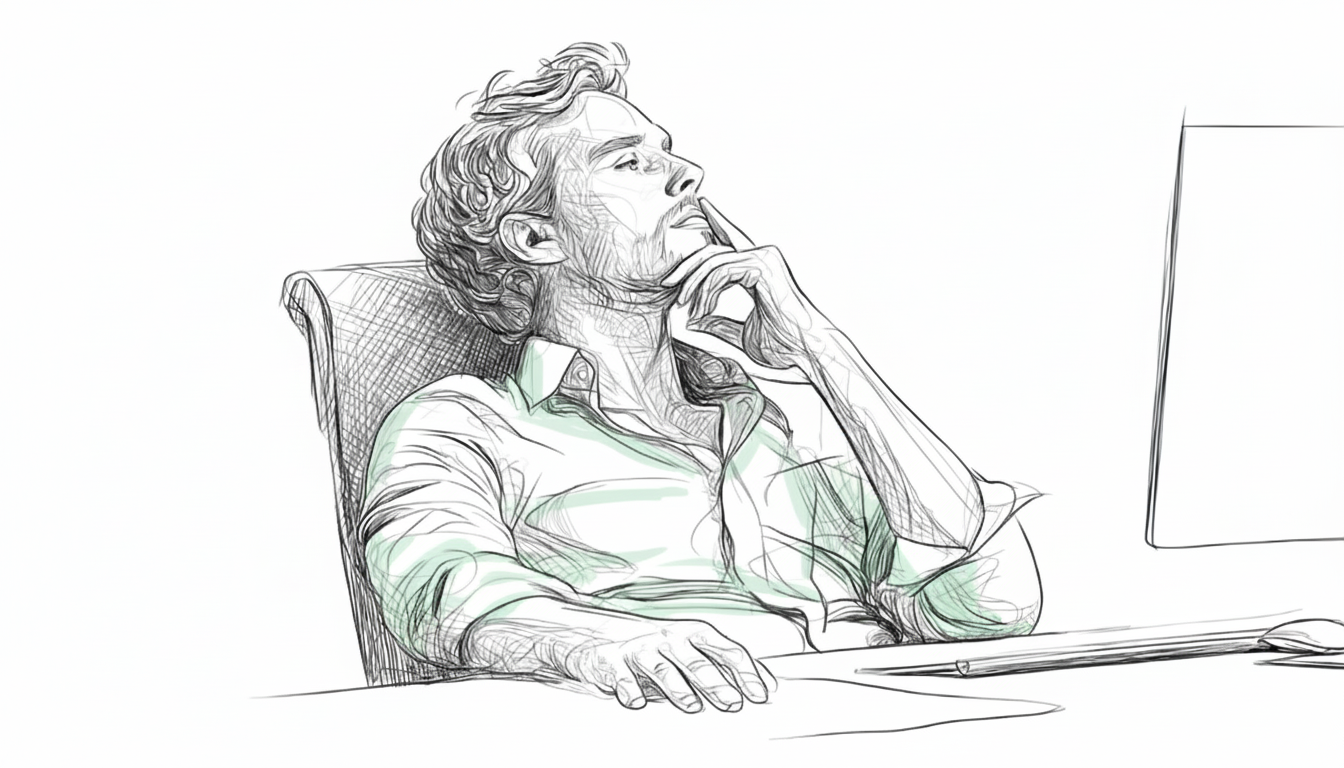
For professionals who spend their days analyzing complex data and making strategic decisions, understanding the impact of their display settings isn't just a preference, it's a productivity hack. We are all trying to figure out how to make our digital lives more sustainable, and a common question that keeps popping up is about screen settings: "Should I be using dark mode or light mode?" It feels like a simple choice, but the science is anything but simple.
You have probably found yourself toggling between a stark white screen and a soothing dark one, wondering if you are doing your eyes any favors. With the rise of "digital wellbeing" and features like "night mode," dark mode has gained immense popularity. But is it truly the cure-all for your screen-weary eyes, or is light mode still the champion for certain tasks? Let's break down what science says.
The Science Behind Your Screen's Theme
The choice between light text on a dark background (dark mode, or negative polarity) and dark text on a light background (light mode, or positive polarity) is more than just aesthetic. It involves complex interactions with our visual system, affecting everything from how clearly we see to how much mental effort we expend.
Understanding Cognitive Load: More Than Just "Feeling Tired"
When we talk about digital eye strain, we are not just talking about physical discomfort; we are also talking about cognitive load — the mental effort required to perform a task. Researchers use both subjective measures (like questionnaires about perceived workload) and objective measures (like eye-tracking data such as pupil dilation) to understand how different display modes affect us.
Dark Mode and Perceived Mental Demand
Here's some good news for dark mode enthusiasts. Studies using subjective measures, like the NASA-TLX questionnaire, have consistently shown that participants perceive dark mode to be significantly less mentally demanding than light mode across various task complexities.(1)(2) This suggests that our brains feel like they are working less hard when we are interacting with a dark interface.
Objective Measures: A Different Story?
This is where it gets interesting. While our subjective experience often favors dark mode, objective measures like pupil dilation sometimes tell a different tale. Pupil dilation is a physiological indicator often associated with higher cognitive load. In some studies, pupil dilation was higher in dark mode compared to light mode, particularly in dimly lit environments.(3)(4)
This apparent contradiction between how we feel (lower perceived workload in dark mode) and what our eyes do (greater pupil dilation in dark mode) highlights the complexity of visual perception and mental processing. The higher dilation in a dark mode setting may be a response to the reduced overall light, as the eye works to let in more light to see details, potentially leading to increased visual effort.(2)
Performance and Accuracy: Where Each Mode Shines
Beyond just comfort, how do these modes affect our actual performance?
Dark Mode for Accuracy in Complex Tasks
Dark mode provides an advantage for accuracy in complex tasks. Participants using dark mode demonstrated significantly higher accuracy.(2) It also led to fewer eye fixations (times the eye stops to focus), which suggests more efficient visual processing. This is a crucial benefit for work where precision matters, such as designing or video editing.(5)
Light Mode for Visual Acuity and Legibility
On the flip side, light mode generally offers better visual acuity and improved legibility. This is especially helpful for tasks that involve reading or writing dense text for long periods, like proofreading, coding, or academic research. This is because the bright background causes your pupils to constrict slightly, increasing your depth of field and reducing blur.(4) For tasks that demand high precision in reading small fonts or detailed text, proofreading performance, for example, has been found to be better with positive polarity displays.(2)(5)
Ambient Lighting Matters
The environment you are working in plays a huge role. Using dark mode in bright ambient conditions can significantly reduce eye fatigue.(6) However, this effect wasn't as pronounced in dim ambient lighting. The key takeaway here is that your screen's brightness should ideally mimic the surrounding light conditions to minimize eye strain.
Optimizing Your Digital Workspace: A Practical Guide
When it comes to your screen's appearance, a strategic approach beats a one-size-fits-all solution. Instead of just switching modes based on the time of day, match your screen to the task at hand and your environment.
Task-Based Recommendations:
-
For Reading & Writing (Use Light Mode): If your work involves proofreading, editing documents, or reading dense text for long periods, use light mode. The higher contrast and better legibility can reduce the strain of deciphering small fonts and detailed text, especially during the day.
-
For Analysis & Data Work (Use Dark Mode): When you're deep into designing, watching videos or editing them, switch to dark mode. The lower brightness and reduced glare can improve focus and accuracy for complex, visual tasks.
Time of Day & Environment:
-
During the Day: In a brightly lit office or room, light mode with an adjusted brightness works well for most tasks. Your eyes are already accustomed to light, and the contrast helps with legibility.
-
At Night: When working in a dimly lit room, a dark mode can be more comfortable for your eyes, as it reduces overall screen brightness and helps prevent eye fatigue. If you need to proofread at night, for example, you might start with a light mode to ensure accuracy, but lower your screen brightness significantly to match your surroundings.
The impact of contrast polarity can vary individually, and personal preference often plays a role in comfort and perceived usability. Experiment with both modes and observe how you feel. Some individuals, especially younger adults, might prefer dark mode for aesthetic reasons in dim environments, while older adults may prefer light mode to minimize mental fatigue.(7)
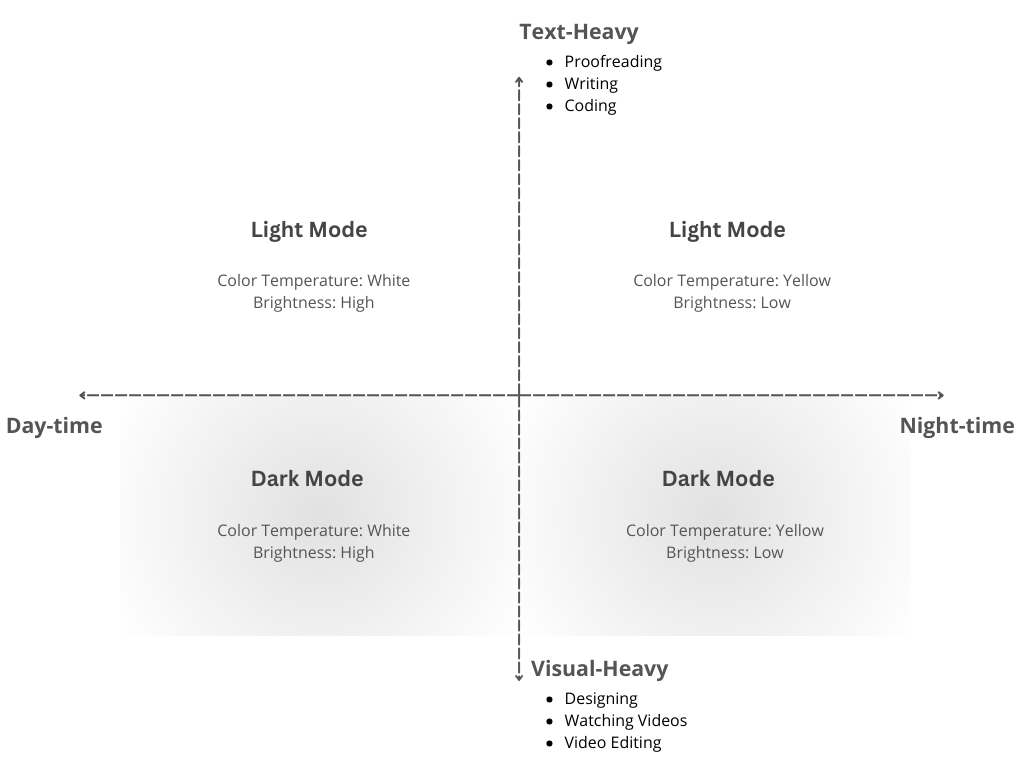
The Summary Table: Dark vs. Light Mode for Optimal Performance
To help you put this all into practice, here is a quick guide to help you choose the best mode for any situation, based on your task and environment.
Your Personalized Digital Workspace
The benefits of dark mode are real, particularly in terms of reducing perceived workload and improving task accuracy for specific cognitive tasks. However, it's not a magic bullet for every situation. Light mode still holds its own for tasks that require high visual acuity.
You can adopt a flexible approach: use dark mode for intense analytical tasks and switch to light mode when you are reviewing lengthy reports or emails. By understanding the science and integrating these practices into your routine, you can create a digital workspace that not only feels better but also helps you be more productive and less fatigued. So go ahead, experiment, tweak, and optimize your way to a more comfortable and focused digital life!
References & Further Reading:
(1): Devos et al. (2020). Psychometric properties of NASA-TLX and Index of Cognitive Activity as measures of cognitive workload in older adults. Brain Sciences, 10(12), 1–16. https://pmc.ncbi.nlm.nih.gov/articles/PMC7766152/.
(2): Ettling et al. (2025). An eye tracking study on the effects of dark and light themes on user performance and workload. 2025 Symposium on Eye Tracking Research and Applications (ETRA ’25). https://doi.org/10.1145/3715669.3725879
(3): Fan et al. (2024). The effect of ambient illumination and text color on visual fatigue under negative polarity. Sensors, 24(11), 3516. https://pubmed.ncbi.nlm.nih.gov/38894307/
(4): Jiménez et al. (2020). Accommodative and pupillary dynamics while reading with multichromatic text-background stimuli. Vision Research, 166, 33–42. https://www.sciencedirect.com/science/article/pii/S0042698919302123
(6): Pathari et al. (2024). Dark vs. Light Mode on Smartphones: Effects on Eye Fatigue. Proceedings of the ACHI 2024 The Seventeenth International Conference on Advances in Computer-Human Interactions, 150–154. https://www.thinkmind.org/download.php?articleid=achi_2024_3_150_20069
(7): While, Z., & Sarvghad, A. (2024). Dark Mode or Light Mode? Exploring the Impact of Contrast Polarity on Visualization Performance Between Age Groups. 2024 IEEE Visualization and Visual Analytics (VIS), 211–215. https://doi.org/10.1109/VIS55277.2024.00050
(5): Negi, S., & Mitra, R. (2020). Fixation duration and the learning process: An eye tracking study with subtitled videos. Journal of Eye Movement Research, 13(6), 1–12. https://pmc.ncbi.nlm.nih.gov/articles/PMC8012014/.